Visualizzazione post con etichetta Booster. Mostra tutti i post

DOWNLOAD

Codename
GMA 500
Architecture
PowerVR SGX535 (Serie SGX-5)
Pipelines
4 - unified
Core Speed *
200 MHz
Shader Speed
200 MHz
Memory
Until 1GB Shared
DirectX
DirectX 9.0c, Shader 3.0
Technology
65 nm
Features
OpenGL 2.0, PowerVR SGX Kern, Screen Tiling, Internal True Color Processing,Zero overhead AA, 32 Bit floating-point operations.
Date of Announcement
01.11.2008

Driver
Version
Date
Download
IEMGD 1.18
7/8*/8.1*/10*
8.14.1180.3398
Core 04/04/2013 Rev 2017
Official Intel 7/8*/8.1*/10*
8.14.10.2030
09/16/2010
IEMGD 1.18 XP/Vista*/7*
1.18.0.3398
Core 04/04/2013  Rev 2014
Official Intel XP/Vista*/7*
6.14.11.1018
12/03/2009
  N.A.
Official Intel Vista
7.14.10.1006
06/23/2009
  N.A.
Mesa3D - Wrappers
2.0
12/08/2017
Optimus IEMGD
7/8/8.1/10
1.2R Alpha
01/09/2021
 LINK
  *Compatibility Mode

->PLEASE, READ all blog's posts to avoid no sense questions<-
All drivers released are compiled for Atom Z5xx (US15) with official Intel CED downloadable: HERE
If you like these sources click on ads or think to donate. OFFICIAL GUIDE IEMGD Add-On: HERE


How to Install:
1)Download and UnRar package (for example with WinRAR)
2)Run IEMGD Add-on (in older release WindowsDriverSETUP.cmd or Setup.exe)
3)Select your display max resolution (only in IEMGD add-on) and follow installer instructions
Note. If any problem occurs with installer just try to install the driver manually via control pannel\device manager\Update video card driver
Tip: To Accelerate Setup Process,in IEMGD addon, check "Restart Automatically" Box, "OK" and Accept Unsigned Driver
Note. To Add HDMI Audio Support just Download from your online device support area the video driver package and extract the HDMI folder! Then you have two possibility: 
1)Try to force setup with IEMGD add-on (select your max resolution or external profile, select custom, import Video\Audio files) 
2)Install the files from Windows Device Manager.
Read Official Guide IEMGD add-on for more infos and How to install guide.

How to Uninstall:
Control Pannel\Programs and functions (older xp version can be uninstalled from WindowsDriverSetup.cmd)
Note.If any problem occurs with the driver, uninstall it via Windows Safe Mode to restore Microsoft Default Video Driver

FAQ  (Frequently asked questions)
Is my device compatible?
The Driver works only with (US15) Poulsbo Platform devices and stock Intel GMA500(200Mhz)
N.B.It doesn't work with GMA600 due to the different platform! (probably need some patch in sys path but anyway I don't have any device with this hardware so if you want can send me a laptop for testing)
Can be incompatible with some devices because many displays have different configurations.
This is an incomplete list of confirmed working devices in Win 7\8\8.1\10:

  • Auto Configuration works on: Acer AO751H -Asus 1101HA - Asus 1201HA -Archos 9 PC Tablet - Dell Mini 1010 - Kohjinsha SX3 -MSI U115 - Nokia Booklet 3G-Viliv S5, Sony Vaio P VGN-P720K , Sony VGN-P29VN_Q,  ect ect. 
  • Other Inf function: Sony Vaio X, Fujitsu U820- U2010 and Asus T91MT/T91
  • Tablets\netbooks\notebook that requires CUSTOM Mode Compiling in IEMGD Add-on:Probably some of Sony Devices
Thanks to:
-Vladimir for 1024x600 profile for Asus T91 Series
-Deman   for 1024x768 profile for FSL 979 Winpad

Got black screen with IEMGD or Strange colors view? This mean that common settings are not compatible.
Uninstall it from (options):
A)Control Panel (if Windows shows desktop)
B)Start Windows in Safe Mode -> Control Panel
C)Windows Recovery Console
D)If you have windows 8\8.1\10 with fast boot enabled: restart manually after the windows login with black screen for 3 times. At the next boot will appear Windows Tool\Go do advanced Setting and select Restart in Safe Mode
Try to fix the problem by your own self:
  • If there are different profiles, in IEMGD Add-on, for your display max resolution try another one
  • If you know your display panel settings use  IEMGD Add-On Custom mode to create a new profile for the driver (please share working profiles!) [MORE info in IEMGD Editor SECTION]
  • If you are not good at computer simple check on Google  for another custom package (Googling: EMGD for YOURDEVICE) than share with us that driver!
ITA.In alcuni pc il driver non funziona correttamente (windows si avvia con schermo nero,colori psichedelici o schermo tremante). Questo problema è causato dal file igdlh32.inf . Normalmente, il driver richiede le informazioni specifiche all'hardware ma se l'EDID (Extended Display Identification Data) non è completo (poco importa se la marca del pc asus,acer o altro questo parametro dipende dal display che durante la produzione è stato inserito) vengono utilizzati i settaggi alternativi presenti che non possono garantire il funzionamento corretto su tutti i monitor.
Come potete risolvere? 
1)cercate su Google, o altro motore di ricerca, un driver IEMGD compatibile per il vostro device. In giro ci sono molti Publisher e se volete condividete con noi il file igdlh32.inf contenuto nella cartella LPCO.
2)Sviluppate una configurazione funzionante tramite Intel CED o tramite IEMGD Add-On. Come si fa? Scaricate AIDA64,leggete l'ID del monitor e poi cercate su Internet il datasheet del pannello. All'interno del file digitale troverete tutte le informazioni richieste.

Difference between WinXP\7 vs Win7\8\10 drivers:
WinXP\Vista\7 driver respects XPDM (XP Driver model),supports DXVA 1.0 (DirectX Video Acceleration) and has a better software rendering while Win7\8\8.1\10 ,WDDM 1.1,driver has full support to DVXA 2.0 and a better hardware rendering(reduce CPU usage).
Under Win 7, usually, is better to use a WDDM driver.
Note.On Asus devices, if you use XP driver in Windows 7, have to install SHE FiX to restore Power Saving profile (Mega Link: Download ; Mirror3: Download)

Difference between IEMGD and Intel Default drivers:
  • Intel Embedded Media & Graphics Driver has more apps\games compatibility, bugfixes, OpenGL 2.0 support and it is directly setted for highest performace (about +20% vs stock driver). 
  • Small fixes were added to make it: light,stable with US15 Platform.Furthermore my Win 7/8/10 custom package includes: the WDDM (Windows Display Driver Model)  1.1 driver; IEMGD Add-On, a fast way to generate custom profiles; multidevices support; AutoSupport for Windows 8/8.1/10; Fixes/workaround for minor bugs like incompatible MS Performance Test, unworking Attribute button, Display detection, Brightness Level Control; a fixed uninstaller,remove all exept OpenGL that will be always enabled, also if you downgrade to official intel driver.
  • IEMGD doesn't support downscaling (ex. allows to set 1024x600@1024x768), DPST (Display Power Savings Technology Policy available only when on Battery), ALS(ADB = Automatic Display Brightness Policy available only when on battery in devices with ambient light sensor). Anyway there is no significant battery usage.
Difference between my driver package vs stock embedded driver:
Compiled to work with more devices without download an heavy suite,reduced package size and fixed some problem(really more easy to install it).

Which is the best O.S. for Intel GMA 500?
Microsoft Windows 7 home premium 32bit with some fixes (read Windows SpeedUP)
It's still the best compromise between overall performance and driver features
You can also install an entry level SSD and upgrade RAM to 2GB 800MHz and use Optimus IEMGD

Which is the latest DirectX available for Intel GMA 500?
Hardware support it until DX9c or DX9L but you may install newer package for bugfixes.
DX9L ,called also DX9Ex, is available only for Windows Vista and Win 10 (it doesn't bring benefits to GPU)

Is possible to play 1080p video with Intel GMA 500?
Yes, it is possible with correct video player (see this post) and correct video codec.
GPU supports hardware decoding for H264, MPEG 2/4, VC1, WMV9

Is necessary vBios for install this driver?
No, it isn't. The Driver works correctly also without Embedded vBios (Beta).
Embedded Video Bios isn't compatible with Intel Official GMA 500 Driver and doesn't bring any benifit.
Other Informations about compiling it are avaiable HERE and IEMGD Editor Section
This operation is not suggested on laptop.

What is Mesa3D - Wrapper Package?
Include Software OpenGL for all pc (MESA3d), Glide Wrapper (an old game library), DirectX Wrapper (to OpenGL for newer PC), a backup of stock IEMGD 1.18 Opengl library usable also for GMA600

How to install the MESA3D OpenGL Software Accelerated: This solution is suggested only on Windows 8.x and 10 because the OS doesn't support Hardware OpenGL rendering. Anyway this method has a slow rendering but you will able you to run applications that require OpenGL > 1.1 (Stock Windows). Use Optimus IEMGD (this method will not require any modification to your system) or download Mesa3D - Wrappers Package.
-Unrar it, rename Mesa3D opengl32.dll and overwrite igdogl32.dll in c:\windows\system32 folder.
Note.When your app requires only max OpenGl 1.1 rename c:\windows\system32\igdogl32.dll to, for ex, igdogl32disable.dll,or use Optimus IEMGD option, because Microsoft stock opengl has better performance.

Why Intel GMA 500 is so slow in 3D Graphic?
It is a little bit complicated to say but essentially for GPU low clock,architecture and mostly a not perfect Intel driver.
This kind of platform was develop as MID (Mobile Internet Device): Internet and Media that is exactly what our devices do!
GPU clock seems to be editable only on US15W platform and only before System startup (Read Overclock Section, straps)

Intel Graphics Tool problems?: Upgrading from Official Intel to Embedded Driver without Uninstall the first one causes a wrong copy. Solution: Uninstall the Driver ,Restart pc and reinstall IEMGD
How to use External Monitor Settings: (By Default is setted Clone Mode)
MID = Internal Monitor | Monitor = External Monitor
Single Display= Only a monitor will stay active when video cable is plug-in
Dual Display Clone = Both Monitors show the same Image at the same Resolution and Refresh Rate
Extended Desktop = Each Monitor shows an Image (can be the same if you copy it in extended desktop) and have a proper editable Resolution and Refresh Rate.
For ex. You can see a video1 in MID monitor and a video2 in external Monitor
How to apply Display Color Correction:
Usually this operation is not required by default. MS Windows includes displays tools but take really more time and the results are not so different from stock configuration.
Anyway for "normal" users, that want to try this feature, I suggest to use Intel Tool Utility.
Values are display linked so it's impossible to know which is the best configuration for your monitor.
Stock values are Gamma 1.0, Brightness 0 and Contrast 50
Check if editing color settings there is a better view (in my case I reduced only All Gamma value to 0.8)

Bugs Report:
 
Note.Seems that Microsoft removed backlight control for xp driver (tested under win7 and Vista), editing hw registry will not change level (no problem for now with WDDM driver) so probably check Microsoft bugfix cause acpi and soc drivers will not solve the problem.

Windows XP
Inverted Backlight Control by Fn button after hibernation or sleep-mode (Minor Bug)
VGA enabled only booting OS with video cable plugged-in (Minor Bug)
Without official Microsoft updates is impossible to install it on a fresh clean OS (Support EOS)
Windows 7
No Backlight Control by Fn button after hibernation or Suspension (restart the driver or Optimus IEMGD). Has reported from Microsoft is a bug with acpi state
VGA port enabled only running Intel Graphic Tool or pressing Win+P
Windows 8
Random BSoD: Really suggested to upgrade OS or  install Windows 7/8.1/10
No Backlight Control by Fn button after hibernation or Suspension (restart the driver or Optimus IEMGD). Has reported from Microsoft is a bug with acpi state
VGA port enabled only running Intel Graphic Tool or pressing Win+P
Few random glitches: Minor Bug 
OpenGL Hardware Accelerated is not SUPPORTED (use MESA Software OpenGL)
Recent App display may returns BSoD (disable this feature from Windows bar\properties)
Metro Video App, other Metro's Apps, Internet Explorer  don't use hardware acceleration
Windows 8.1
No Backlight Control by Fn button after hibernation or Suspension (use software controller or Optimus IEMGD). Has reported from Microsoft is a bug with acpi state
VGA port enabled only running Intel Graphic Tool or pressing Win+P
Few random glitches: Minor Bug 
OpenGL Hardware Accelerated is not SUPPORTED (use MESA Software OpenGL)
Recent App display may returns BSoD (disable this feature from Windows bar\properties)
Metro Video App, other Metro's Apps, Internet Explorer  don't use hardware acceleration
Windows 10
No Backlight Control by Fn button after hibernation or Suspension (use software controller or Optimus IEMGD). Has reported from Microsoft is a bug with acpi state
VGA port enabled only running Intel Graphic Tool or pressing Win+P
Few random glitches: Minor Bug 
OpenGL Hardware Accelerated is not SUPPORTED (use MESA Software OpenGL)
Recent App display may returns BSoD (disable this feature from Windows bar\properties)
Metro Video App, other Metro's Apps, Internet Explorer  don't use hardware acceleration
Common Tweaks:
- Install latest DirectX
- Enable Intel Hyper threading (read Windows SpeedUP)
- Set Paging file size  (read Windows SpeedUP)
- Install 2GB RAM (suggested Sodimm CL5 800MHz DDR2 price 20€, anyway aliexpress less 10€)
- Install an entry level SSD (20€) to speed up,a little, the OS (aliexpress less 15€)
- Install Video Codec Pack + Alternative Video Player
- Overclock your processor and use High Performance mode on Windows 7 settings (Optimus IEMGD)
- Use correct Web Browser
- Improve DPI if you have a small display with elevated pixel (better view)

THANKS TO TESTERS! Custom Support is ENDED (no more upgrades).
If you are getting problems with lastest revision, write a comment, try old builds or google for another custom driver and share with us your working configuration.

GMA 500 vs GMA 600: Is it Overclockable?

From the first time i got GMA 500 i understood that the only way to increase performances were overclock and a good driver.Today  I'll explain my dubt about these two GPUs: GMA 500 vs GMA 600.
Looking for how to overclock video card i've find some interesting informations.
Summary
  • From wiki:The core for Gma 500 and 600 is the same "PowerVR SGX535"  by Imagination technologies (strange 2008 vs 2010 product. I hope they make a revision) but with different freq 200MHz vs 400MHz
  • From imagtech.com: There is no specific datasheet but you can only read that series IP5 can run up to 400MHz (HERE)
  • From intel documents: GMA500 can be clocked @266MHz but all other frequencies are reserved.I've try to look at gma600 documents but i didn't find nothing about it.
From all these infos i know that SGX535 was clocked on:
UL11L platform freq @100MHz
US15  plarform freq @200MHz
US15x platform freq @266MHz
GMA600 netbook freq @400MHz

Looking for any solution i've studied different programs(GmaBooster and SetIGP utility develop mainly for i945) and intel documents.
Results were that there are two ways to manage GPU frequency:
  1. Increasing FSB (Front Side Bus) with SetFsb or your overclock tool  (read Intel ATOM Overclock Section)
  2. Changing ratio on GCR Register, pictures down are for our GMA 500 [Intel US15 Datasheet (HERE)]

RWeverything (Link)->PCI Section ->Select Intel Corporation VGA Controller->32bit
You can try to operate manually or just using my small application called GMA500 Hidden Settings
  •  GMA500 Hidden Settings 
.::FREEWARE::.
GMA500 Hidden Settings is an easy EXPERIMENTAL tool to modify Intel GMA 500 Settings.
The Program isn't for common users but only for people who like testing at OWN RISK!
(Based on GPU Datasheet, IEMG and Windows Settings)
TESTED on ASUS 1101HA (sadly on my device doesn't work correctly GPU OverClock)
Note.Restarting notebook all hardware values will returns to DEFAULT!

FAQ
How does it work? For Hardware Section, it sends new value to VGA controller via RWeverything
For Software Section use Windows Regestry. Read this POST to know the story project.
Utility or Inutility? Well, I really don't know if can be useful. I'm a common User not an Intel's Engineer so try and look if there are differences :)
Note.Some Windows Tools may not work on older Windows O.S.
Compatibility:
Hardware Section Windows XP/7/8/8.1
Software Section (Avalon\Performance Mode\Windows Tools\Brightness) Windows 7/8/8.1
Note. Triple buffer works also on Win XP.

Guide:
-Memory Preallocated is RAM stolen given to GPU during boot system.
Default value=8MB [Check results with GPUz]
-Memory Multisize is RAM given in OS (Default is 256MB). It should be edited by DVMT (Dynamic Video Memory Technology)
-Power States: Power Saving (D3) - Full Power (D0).  [Default is D0]
-2D Engine: Unknow Function
-Graphic Clock: This function should not work  on  standard US15
-Bus Master: This function,normally,reduces CPU Stress. Default=Enabled
-I/O Space: Unknow Function
-WPF Harware Acceleration: You should find a wpf application to test. Default is enabled.
-Performance Mode: Default is enabled.
-Vsync Fix+Triple Buffer: When you saw an image with misalignment can be a Vertical Sync problem and with this solution vsync will be enabled in postprocessing. Triple Buffer is used to reduce the fps drop down with Vsync.

Test with XP Driver on Win 7 SP1. Not stable using:
RAM Multisize: 128MB or UNKNOW
2D Profile: Set2 or Set4
All Graphic Clock Values
Instructions:
  1. Unrar Archive
  2. Run GMA500 Hidden Settings.exe
  3. Select a value from list and after SET or RUN
History:
[Version 1.01a Final Release]: 01 Dic 2013
Fixed UAC Problem (my fault: on my system is always disabled!)
[Version 1.01] 09 Aug 2013
Intel Performance Mode ON\OFF (i don't know if it change quality image or Power State)
Brightness Controller
WPF enabler\disabler: Disabling may run a little bit faster 2D Apps on our device
Triple buffer Enabler: If you use Vsync this may help you in games\apps
App to tryIcon
Tools (tested on Windows 8.1 Pro Preview build)
Minor Bugfixes and optimizations

[Version 1.0] (Initial Release) 13 Jul 2013
Memory Preallocated Changer
Memory Multisize Changer
Power State Changer
2D Engine Selector
Graphic Clock Changer
Bus Master Function Enabler\Disabler
I\0 Space Access Enabler\Disabler

[Missed Features:No More Time!]
Video Codec Selector (You can use Klite codec tweak program)
Support for SweetFX: Another postprocessing testing tool
Autoreading hw values
Brightness Controller
______________________________________________________________________


______________________________________________________________________________
This Picture was mixed between US15W and SCH datasheet
_______________________________________________________________________________
Understanding GPU DSDT Section

DSDT (Differentiated System Description Table) is a part of ACPI (Advanced Configuration and Power Interface) stored in BIOS.
I never take a look inside it but anyway when i was try to understand how to overclock my CPU via bios editing i found some strings about GPU (aka GFX)
Probably these strings determinate when the video card is enabled\disabled but i can't be sure.
If anyone know something can write down here!
Just open, with RWeverything or Windows 8, the ACPI table\DSDT and look for GFX0


WINDOWS MICRO EDITION


There are to many Editions of MS Windows someone develop by Microsoft and someone by Modders.
Let's try to make a mini list with common Releases compatible with "Normal Multipurpose x86 (32bit)" devices:
-Windows 8 Embedded Standard
-Windows 8 Lite (Mod Version) [Check on Google]
-Windows 7 Home Basic (equal to Win7 starter but without limitations)
-Windows 7 Embedded Standard (Compact Version has also ARM processors support)
-Windows 7 ThinPC (the official MS O.S. studied for old PC) DOWNLOAD
-Windows 7 Modded Versions
-Windows XP SP3 Embedded
-Windows XP Fundamentals for Legacy PCs (not suggested!)
-Windows XP Modded Versions [Check on Google: there are too many versions called with many names like Lite,Black Edition,EEEpc ect,ect]
Note.HERE Some Comments about ThinPC

[Versions TESTED on Asus 1101HA]
MicroXp 0.82 SP3 by eXPerience--> RAM Usage 40MB - Pacchetto Installazione: 102MB
MicroXP Pro SP3 1.0 by DarkReverser--> RAM Usage 50MB - Pacchetto Installazione: 181MB
Lingua delle due distribuzioni INGLESE
Attivati!

Pensavo che il ritorno a XP dopo anni di Windows 7 mi avrebbe ucciso e invece sono abbastanza soddisfatto del risultato finale!
Sto utilizzando la versione DarkReverser in quanto,secondo alcuni, più sicura e affidabile (10MB di Ram per queste caratteristiche li posso anche buttare :D ).
I 50MB di utilizzo da parte del sistema fanno sorridere ma vengono subito colmati dall'utilizzo dei driver IEMGD per un totale di  circa 210MB (inclusi i programmi di sotto).
Veloce e stabile con gli ultimi aggiornamenti SP3.
Per chi fosse interessato a installarlo consiglio di scaricarsi,prima dell'installazione, i driver WIFI dal sito del proprio produttore.
Attualmente ho installato con successo:
Seven Remix XP (un tocco di Windows 7 fa sempre bene)
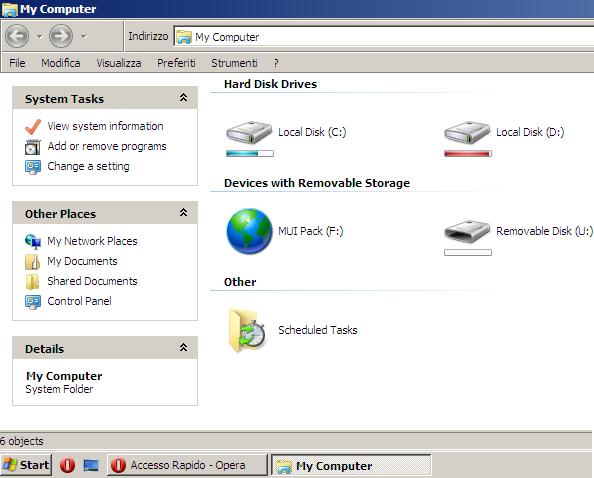
Language MUI Pack Italiano (non traduce tutto)

Ricordo che è una versione un pò differente da Windows XP pro perciò vi consiglio di guardarvi il risulato finale da youtube!

Screenshot (con Language Pack e 7 Remix):
Ecco cosa otterrete sulla versione DarkReverser e MicroXP:
Menu Start piccolo e in inglese 
Alcune voci  menù in inglese

Windows XP SP3 lite ITA by Xelion21 (il pacchetto senza driver SATA) 
Memoria Ram utilizzata 75MB - Pacchetto installazione: 273MB
Non è attivato!
Completamente in ITALIANO con qualche modifica grafica stile windows 7
Ho installato Windows Remix e il risultato finale è RAM 80MB (senza i driver video)


210MB di RAM con tutti i programmi fondamentali (IEMGD inclusi)

 MicroXP 1.0 ITA Pacchetto installazione (211MB) RAM 65MB
                              Non Attivato; Non ho riscontrato problemi nell'uso comune
                              Consigliata per gli utenti Italiani!

Windows 7 la Home Basic: Sviluppata per i paesi in via di sviluppo, questo sistema operativo  è il sosia della versione "starter" ma senza limitazioni. Consigliata per i netbook, per i vecchi pc e per fare una versione lite.
Consumo RAM su pc appena formattato senza programmi e senza driver video: 310MB
Spazio occupato su Hard Disk: 6,64GB

Windows ThinPC: Si tratta di una versione ufficiale MS studiata per i vecchi PC (con alcune limitazioni). Derivata da Windows Embedded, contiene il Service Pack 1 ed è stata rilasciata il 1 Luglio 2011.
Requisiti minimi CPU: 800MHz RAM:512MB HD:16GB
La ISO ufficiale contiene solo la lingua Inglese e non  permette il cambio lingua. Per non impazzire nella ricerca della mod (l'alteranativa è fare una nuova iso) ho utilizzato direttamente la versione ThinPC di Fabianator.
ThinPC o ThinBlack di Fabinator: Due versioni italiane in un'unica ISO con crack
ThinBlack ha un tema Black,Net Framework3.5 e alcune modifiche nel registro.
ThinPC ha Net Framework3.5 e alcune modifiche nel registro. (quella in test)
RAM 380MB senza driver video 
RAM 480MB con 1GB di ram e driver video 
RAM 520MB con 2GB di ram e driver video
Mods riscontrate: No paging file, No windows defender,aggiunti voci nel context menu,No iberanzione, No Image Viewer
I miei Fix a questa versione: per visualizzare le immagini utilizzo Picasa. Ripristinata l'ibernazione (non può mancare in un notebook: prompt Dos con diritti Amministratore e lanciate il comando:<<powercfg /hibernate on>>. Abilitato HyperThreading, effetti grafici al minimo, Disattivato lo scaricamento cache buffer in scrittura (da usare se il netbook ha sempre inserita la batteria)

->Pendrive bootable per Versioni Windows XP: QUI 
Recover lost HD Data> Active  Partition Recovery

INTEL ATOM OVERCLOCK

"Overclocking is the process of making a computer or component operate faster than the clock frequency specified by the manufacturer by modifying system parameters. Operating voltages may also be changed (increased), which can increase the speed at which operation remains stable. Most overclocking techniques increase power consumption, generating more heat, which must be dispersed if the chip is to remain operational"

There are many tools to speedup CPU like ASUS Super Hybrid Engine, EEEctl, Setfsb,  SetPLL, ClockGen ect.
But the only programs that i find working with Intel Atom Z5xx series are:
  • ASUS SHE (see post) 
  • SetFSB (Shareware or Freeware) included in Optimus IEMGD
  • Probably RwEverything future versions will support WRITE function for my clockgen
SetFsb SHAREWARE (the price is  800 JPY = 8€ = 10$); Seems no more avaiable!

  1. Insert your Clock Generator name (only first time, depends from mainboard if you don't know you can find this information reading from this list or looking at your pc datasheet from HERE.For Example ASUS 1101HA clockgen is  (as you can see from the picture)
     2. Click on Get FSB and Move Slide to a new value (right side increase frequency)

Test Device:
Z520@1.33
1GB Ram 800Mhz
Windows 7 Home Premium 32bit
Original GMA 500 Driver

After some tests i found the right setting for Asus 1101HA reaching  about 1.81Ghz (stable frequency)
ITA.Dopo qualche test ho raggiungo facilmente la frequenza massima di funzionamento della mia CPU impostando:
SetFsb: 180.4
Max Freq: 1.808

Good result with +475MHz  because it doesn't improve only CPU but also GPU and RAM!
N.B. Remember that max overclock changes for each pc so you will find your stable frequency:
-for example in my case
1.82GHz instable
1.811GHz instable after fullstress 30min (rare situation in normal use)

ITA. Sicuramente un buon risultato ma non eccezionale perchè speravo di raggiungere 1,86GHz come lo Z540 :)

Temperature by SpeedFAN (fullstress 30 min) GOOD!
HD 40°
Temp1° 70
Core°59

Conclusion: SetFSB Shareware is really simple to use (you don't need to know how works pll). I don't suggest at ASUS users to buy Setfsb because 8€ for about + 60-80Hz (Z520 with SHE 30%=1.74MHz) it's a waste of money. Maximum frequency reacheable depends by all system hardware and O.S. so don't cry if your computer can't go over a goal.

SetFsb FREEWARE
Instructions for clockgenerator ICS9LPR427CGLF (ASUS Eee PC T91MT/T91/T91SA/1101HA/1201HA/1201PN) [without build a PLL file]
  1. Close Asus SHE (if you have it)
  2. Download SetFsb FREE from here
  3. Run Setfsb freeware
  4. Go to Diagnosis Section
  5. Click on Get FSB
  6. Move to one of these offset 0B or 0C (edit hex value,click on update and after Apply!)
Note.How to apply this solution on other PLL? Just test! change one offset for each time modifing second value with a next to value for ex E1 test E0 or E2

My Experiment:
After Click Get FSB on setFsb i've got these two values:
For Asus 1101HA (z520) starter values for 1331.4MHz are OB=FC and OC=4F
  • Editing ONLY 0C : TEST 1 with 1GB ram 800Mhz on Windows 7
Edit 4F value; Range= from 31 to 66
Some example
value 0C=31 CPU clock is 831.3 MHz
value 0C=60 CPU clock is 1614.7MHz
value 0C=66 CPU clock is 1714.7MHz
----
TEST 2  DONE WITH ATOM Z520 1.33GHz with 2GB RAM 533MHz on WINDOWS 8.1 PRO

0B Offset accept only Fx-Bx-7x-3x values (x= a letter or a number 0;1;2;3;4;5;6;7;8;9; A;B;C;D;E;F )
[Approx Frequency Comparison Editing only 0B; 0C=4F]

0B Value
Frequency (MHz)
0B Value
Frequency (MHz)
0B Value
Frequency (MHz)
0B Value
Frequency (MHz)
F0
1659
B0
Fail
70
Fail
30
Fail
F1
1621
B1
Fail
71
Fail
31
Fail
F2
1597
B2
1592
72
1586
32
1582
F3
1564
B3
1561
73
1556
33
1551
F4
1536
B4
1529
74
1526
34
1521
F5
1507
B5
1502
75
1497
35
1493
F6
1479
B6
1474
76
1470
36
1465
F7
1452
B7
1447
77
1443
37
1438
F8
1426
B8
1421
78
1417
38
1413
F9
1401
B9
1397
79
1392
39
1388
FA
1377
BA
1373
7A
1368
3A
1364
FB
1353
BB
1349
7B
1345
3B
1341
FC
1331
BC
1327
7C
1323
3C
1318
FD
1309
BD
Fail
7D
Fail
3D
Fail
FE
Fail
BE
Fail
7E
Fail
3E
Fail
FF
Fail
BF
Fail
7F
Fail
3F
Fail
Seems that frequency decrease with Horizontal Offsets so if change value for ex FA->BA->7A->3A = - 5MHz
Linear improve frequency=  +23MHz
Fail may depends by:
-HW limit (probably RAM limit because it's operate at 533MHz; with 2gb Ram 800Mhz can improve OC limit)
-Intel Speedtech  (voltage control)
-Operative System read above "Downclock"

0C offset accept only numeric values 
[Approx Frequency Comparison Editing only 0C]
On my netbook standard 0C=4F but for 4x values accepeted only 4F=1331 and 4E=1314
0C Value
Frequency (MHz)
50
1348
51
1364
52
1381
53
1398
54
1414
55
1431
56
1448
57
1464
58
1481
59    
1498
5A
1514
5B
1531
5C
1548
5D
1565
5E
1581
5F
1598
60
1614
61
Fail
Seems that frequency increase linearly = +/- 17MHz

NOTE. THE MAX FREQ WITH MY LAST RAM 2GB Corsair 800MHz with the free method is 1.7481GHz Using 0B= FC + 0C=68
----------------
[DOWNCLOCKING: PowerSaving] From ATOM Z5xx series datasheet min freq is 800MHz:
On Win8.1 isn't possible to downclock device, probably because MS win 8 adjust CPU multiplier automatically from x10 to 6x (depends on CPU load)
If I set 8OFSBx10Multipler=800Mhz when MS adjust multiplier 80x6=480Mhz system fail!
the minimum stable freq that i reach is with 0B=7C that with multiplier x6=794MHz (better leave directly standard freq 133.1x6=798MHz)

Summary with different RAMs
Atom Z520 with RAM 533MHz (HYS64T256020EDL-35-C PC2-5300S) under Win8.1 PREVIEW
MinFreq STABLE=1329MHz (with x6 Multipler 793.8MHz) ->0B=7C
MaxFreq STABLE=1583MHz (1598MHz fails after a deep test;probably there are other values in this range) ->0B=F5 + 0C=53

Atom Z520 with 1GB RAM 800MHz (Asint SSY2128M-JGEEF) under Win8.1 PREVIEW
MaxFreq STABLE= Tested  0B=FD + value 0C=69 CPU clock is 1734MHz  (for 0C=67 1731.1MHz)
Not other max frequencies tested because is a 1GB RAM (too slow on win8.1)

Atom z520 with 2GB RAM 800MHz (Corsair Value VS2GSDS800D2)under Win8.1 PREVIEW
MaxFreq STABLE=NOT Tested
Atom z520 with 2GB RAM 800MHz under Win7 SP1 Updated 12 April 2014
MAx Freq STABLE 1748.1GHz 0B=FC OC=68

Note: Windows 8 TaskManager Performance's Tab doesn't show CPU Overclocked Frequency! Use CPUz

Advanced (don't play with it): MAY RETURNS HW FAILURE! DON'T USE IT!
03 Value
(Stock F3)
FSB
DDR
AGP
PCI
C3\C5\41
66.8
200.4
66.8
33.4
01\03
66.8
205
68.3
34.2
81
68.3
205
68.3
34.2
C4\40
70
210
70
35
00\02\80
83.3
166.6
55.5
27.7
D1\D3\D5
100
200
66.8
33.4
11\91
107
214
71.3
35.7
D2\D4\50
112
224
74.7
37.3
10\90
124
248
82.7
41.3
F1\F3\F5\F7
51\71    
133.6
200
66.8
33.4
EF\E3\61
133.6
200
66.8
44.5
B3\B5\31
137.3
206
68
34.3
A3\21
138
276
92
46

Good Overclock!
------------------------------------------------------------------------------------------------------------------
DOWNCLOCKING by DOS or BATCH File
NB. THIS METHOD WORKS only with Intel SpeedStep ENABLED (CHECK YOUR BIOS: By default is enabled).
What does it do? Downclock your CPU freq by reducing CPU Multipler or you can disable auto downclocking (set CPU at only a frequency)
1)Open a dos prompt
2)By default in MS there are High Performance, Balance Performance, Low Performance profiles
->Default MS is Balanced
->You can also create it by dos or by windows (check Battery Saving Settings)
In dos these standard schemes are called SCHEME_MAX ; SCHEME_MIN ; SCHEME_BALANCED
3) Reduce CPU Multipler for the MAX frequency
Code example: powercfg -setacvalueindex SCHEME_BALANCED SUB_PROCESSOR PROCTHROTTLEMAX (0-100)
Info:
SCHEMEBALANCED= Balance Profile
-setACvalueindex means set this value for AC= with wallcharger
-setDCvalueindex means set this value for DC=with battery
PROCTHROTTLEMAX= Processor throttle max (you can also edit the min with value PROCTHROTTLEMIN)
(0-100)= just insert a value from 0 to 100. For example 5

Example: Set in Balance Profile,when the wall-charger is plugged in, the max multipler to value 5%
powercfg -setacvalueindex SCHEME_BALANCED SUB_PROCESSOR PROCTHROTTLEMAX 5

Let's say that my Atom Z520 1.33GHz supports these Multipler x6 - x8 -x10:
Formula: Bus Speed 133Mhz x Multipler
1.33GHz  for value 100 (MULTIPLER x10) ->with ASUS SHE in Power Saving: 1GHz
1GHz for values from 80 to 99 (MULTIPLER x8) -> with ASUS SHE  Power Saving: 600/800 MHz
800MHz for values from 0 to 79 (MULTIPLER x6) -> with ASUS SHE in Power Saving: 600MHz
3)After lunch the code let's apply the profile
powercfg -setactive SCHEME_BALANCED

Why downclocking? Reduce Hardware Temperature,increase battery life, reduce fan noise anyway reduces also cpu speed :)